Table of Contents
Small businesses often spend hours handling phone calls, responding to customer inquiries, scheduling appointments, following up with leads, and managing daily operations. These repetitive tasks can slow down growth and prevent business owners from focusing on important work.
AI Automation Services for Small Businesses help solve these challenges by using artificial intelligence to manage routine business activities, improve customer communication, and streamline workflows. From AI receptionists and chatbots to automated appointment scheduling and CRM management, businesses can now automate tasks that previously required manual effort.
In 2026, AI automation is becoming a practical solution for local businesses, service providers, contractors, and growing companies. This guide explains how AI automation works, which tasks you can automate, and how to choose the right solutions for your business.
Key Takeaways
- AI automation helps small businesses reduce repetitive administrative work.
- AI receptionists can answer calls, collect customer details, and capture leads 24/7.
- AI chatbots handle common website inquiries and customer support.
- Automated follow-ups help businesses respond to leads faster.
- AI appointment scheduling reduces manual booking and calendar management.
- Connecting AI tools with a CRM creates a more organized lead management process.
How AI Receptionists Help Small Businesses Never Miss a Customer Call
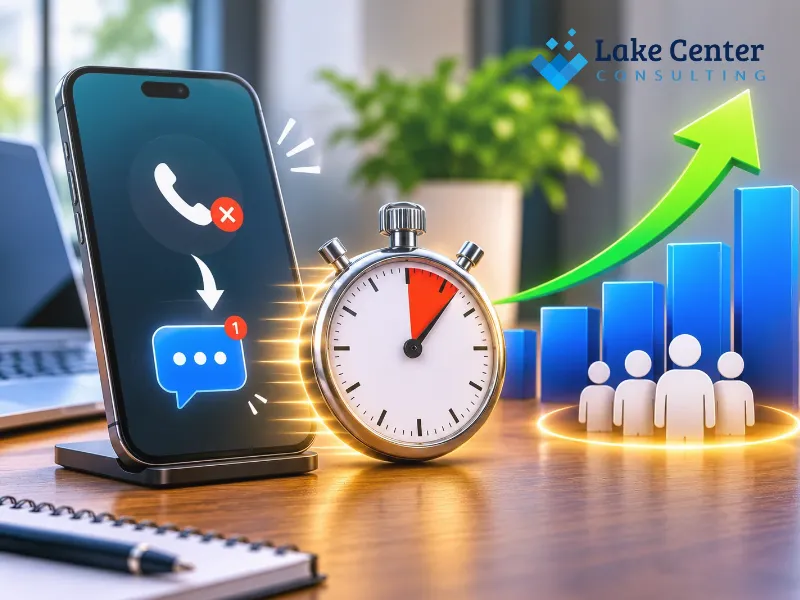
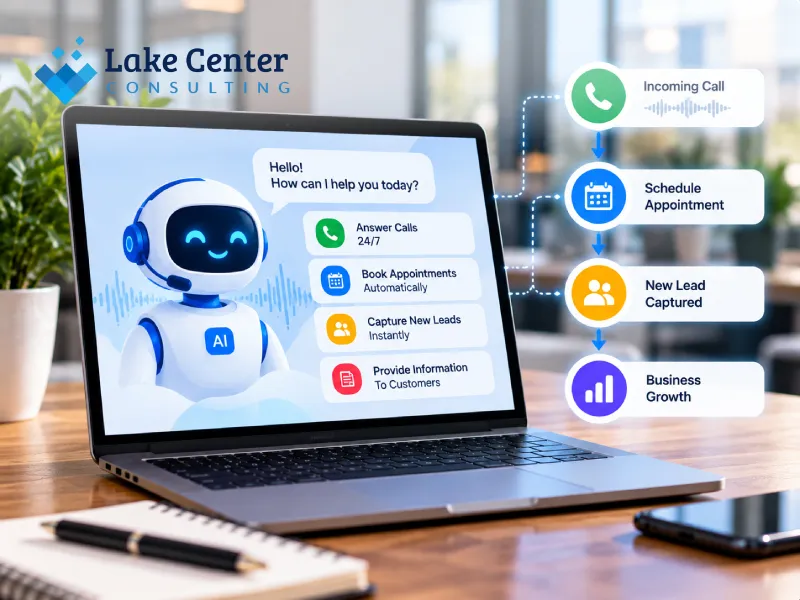
AI receptionists answer incoming business calls, respond to common questions, collect customer information, and help schedule appointments. They allow small businesses to handle customer inquiries outside regular working hours without requiring someone to answer every call manually.
What Can an AI Receptionist Do?
An AI receptionist can perform several front-desk responsibilities, including:
- Answering incoming calls.
- Explaining services and business hours.
- Collecting customer names and contact details.
- Booking appointments.
- Transferring important calls to employees.
- Sending confirmation messages.
How Does It Help Local Businesses?
Consider a plumbing company receiving 15 calls daily. If employees cannot answer every call while working on customer properties, potential customers may contact competitors.
An AI receptionist can answer those calls, understand customer needs, and capture their information for follow-up.
Is an AI Receptionist Available 24/7?
Yes. An AI receptionist can operate around the clock, depending on the provider and configuration. It can handle after-hours inquiries, weekends, and holidays.
Pro Tip: Configure your AI receptionist to transfer urgent calls to a human employee instead of attempting to resolve every situation independently.
7 Business Tasks Small Businesses Can Automate With AI in 2026
Small businesses can use AI to automate customer support, lead management, appointment scheduling, follow-ups, review requests, content creation, and administrative tasks. Automating these activities reduces repetitive work and creates more consistent business processes.
1. Customer Support and Inquiries
AI chatbots can answer frequently asked questions about services, operating hours, locations, and availability.
2. Lead Capture and Management
AI tools can collect contact information from websites, forms, and phone calls and organize leads inside a CRM.
3. Appointment Scheduling
Automated scheduling tools allow customers to select available time slots without calling the business.
4. Customer Follow-Ups
AI workflows can send reminders, follow-up emails, and messages based on customer actions.
5. Online Review Requests
Businesses can automatically request reviews after completed appointments or purchases.
6. Content Creation and Marketing
AI-Powered Content Automation can help businesses prepare social media captions, email drafts, blog outlines, and marketing content.
7. Video Content Production
can support repetitive video production activities, including captions, basic editing, resizing, and converting existing content into short-form videos.
| Business task | AI automation solution | Main benefit |
| Customer support | AI chatbot | Faster responses |
| Lead management | CRM automation | Organized leads |
| Scheduling | AI booking tools | Less manual work |
| Follow-ups | Automated workflows | Consistent communication |
| Reviews | Review automation | More review requests |
| Content | AI content tools | Faster production |
| Video creation | Video automation | Simplified production |
What Is an AI Voice Agent and How Does It Work for Local Businesses?
An AI voice agent is an artificial intelligence system that communicates with customers through natural-sounding conversations over phone calls. It understands spoken questions, generates responses, and can perform actions such as collecting information, booking appointments, and routing calls.
How Does an AI Voice Agent Work?
An AI voice agent generally follows these steps:
- A customer calls the business.
- The system converts spoken words into text.
- AI understands the customer’s request.
- It generates an appropriate response.
- A voice system delivers the response.
- The system records relevant information or performs an action.
Which Local Businesses Can Use AI Voice Agents?
AI voice agents are useful for:
- Plumbing and HVAC companies.
- Cleaning businesses.
- Dental and healthcare offices.
- Real estate agencies.
- Auto repair shops.
- Home improvement contractors.
What Tools Are Used to Build AI Voice Agents?
Businesses can use platforms such as Vapi, Retell AI, Twilio, and automation platforms such as Make or n8n to create voice-based workflows.
Pro Tip: Give your voice agent clear instructions, accurate business information, and escalation rules to avoid incorrect customer responses.
How to Automate Lead Follow-Ups and Convert More Customers
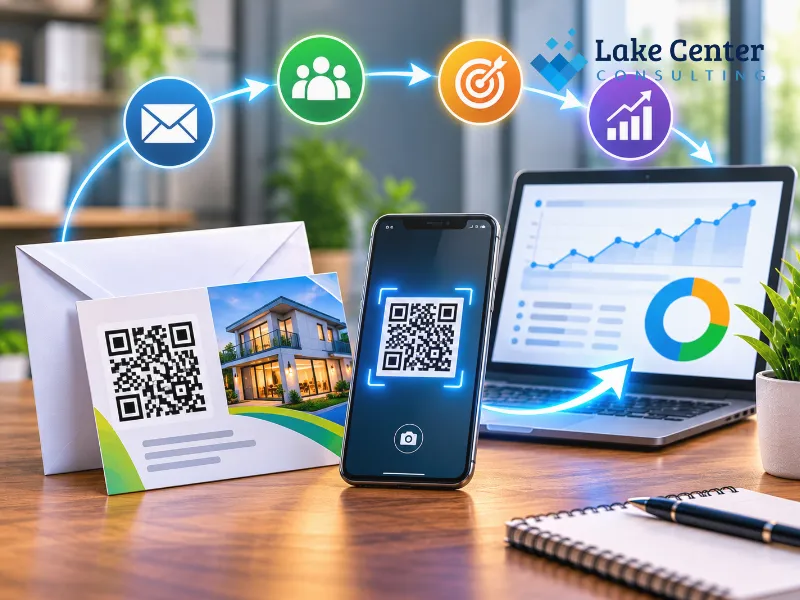
Businesses can automate lead follow-ups by connecting website forms, CRM platforms, email, SMS, and AI tools. When someone submits an inquiry, an automated workflow can acknowledge the request, organize customer details, and initiate follow-up communication.
Why Is Fast Lead Follow-Up Important?
When customers request information, they often contact multiple businesses. Delayed responses can reduce the opportunity to convert those inquiries into paying customers.
How to Build an Automated Lead Follow-Up Workflow
A simple workflow looks like this:
- Customer submits a website contact form.
- Customer information enters the CRM.
- An automated confirmation message is sent.
- AI categorizes the inquiry.
- The sales team receives a notification.
- A follow-up reminder is scheduled.
Which Tools Can Automate Lead Follow-Ups?
Popular options include HubSpot, GoHighLevel, Zapier, Make, and n8n.
These platforms can connect different applications and automate repetitive actions.
Pro Tip: Personalize automated messages using the customer’s name, requested service, and inquiry details rather than sending generic messages.
AI Chatbot vs. AI Receptionist: What’s the Difference?
An AI chatbot primarily communicates with customers through text-based channels such as websites and messaging applications. An AI receptionist focuses on answering and managing phone calls, although some solutions also support text communication.
How Does an AI Chatbot Work?
An AI chatbot appears on a website or messaging platform. Customers can ask questions, explore services, and submit inquiries without speaking to an employee.
How Does an AI Receptionist Work?
An AI receptionist handles incoming phone conversations. It can answer questions, capture customer information, schedule appointments, and transfer calls.
Which Solution Should a Small Business Choose?
| Feature | AI Chatbot | AI Receptionist |
| Communication | Text | Voice |
| Website inquiries | Yes | Not its main function |
| Incoming calls | Usually no | Yes |
| Lead collection | Yes | Yes |
| Appointment booking | Yes | Yes |
| 24/7 availability | Depends on setup | Depends on setup |
Choose a chatbot if most inquiries come through your website. Choose an AI receptionist if missed phone calls are a major problem.
Some businesses benefit from using both solutions together.
How AI Appointment Scheduling Can Save Small Businesses Time
AI appointment scheduling automates the booking process by allowing customers to check availability, select suitable time slots, and receive confirmations. It reduces manual communication, scheduling conflicts, and the administrative work involved in managing appointments.
How Does Automated Appointment Booking Work?
A typical booking process includes:
- The customer visits the booking page.
- The customer selects a service.
- Available time slots appear.
- Customer confirms the appointment.
- The system updates the calendar.
- Automatic confirmation and reminder messages are sent.
Which Appointment Scheduling Tools Can Businesses Use?
Popular scheduling platforms include Calendly, Google Calendar, and Acuity Scheduling.
These tools can connect with CRM systems and communication platforms to create more organized booking workflows.
How Can AI Reduce No-Shows?
Automated reminders can notify customers before their appointments.
For example, a business can send:
- An appointment confirmation immediately.
- A reminder 24 hours before.
- A final reminder one hour before.
Pro Tip: Allow customers to reschedule or cancel through a simple link. This helps businesses manage their calendars more effectively.
How to Automate Customer Reviews and Follow-Ups With AI
Businesses can automate review requests by connecting their CRM, appointment system, or sales platform with email and messaging tools. After a completed service, customers receive a personalized request to share honest feedback about their experience.
When Should Businesses Request Customer Reviews?
The best time is usually shortly after a completed purchase, appointment, or service.
For example, a cleaning company can send a review request a few hours after completing a customer’s home cleaning.
How to Automate Review Requests
- A service is marked as completed.
- The CRM triggers an automated message.
- The customer receives a review invitation.
- Feedback is recorded.
- Negative feedback can be directed to the appropriate team member.
Can AI Help Manage Customer Feedback?
Yes. AI can categorize feedback, summarize common complaints, and identify recurring customer concerns.
However, businesses should never generate fake reviews, manipulate ratings, or selectively request positive reviews.
Pro Tip: Use automated review requests to invite all eligible customers to provide honest feedback.
AI Agents vs. Traditional Automation: What’s the Difference?
Traditional automation follows predefined rules and performs specific actions when certain conditions are met. AI agents can interpret information, understand context, and decide which supported action to take based on their instructions and available tools.
What Is Traditional Business Automation?
Traditional automation works through fixed instructions.
For example:
- When a customer submits a form, send an email.
- When an appointment is booked, update the calendar.
- When an invoice is paid, change its status.
These workflows are useful for predictable and repetitive tasks.
How Do AI Agents Work?
AI agents use artificial intelligence to interpret requests and perform tasks through connected tools.
For example, an AI agent might understand a customer’s service request, identify the relevant service category, check availability, and initiate an appointment booking.
Which Approach Is Better for Small Businesses?
| Comparison | Traditional Automation | AI Agents |
| Logic | Fixed rules | Context-aware decisions |
| Flexibility | Limited | More flexible |
| Best for | Repetitive tasks | Complex requests |
| Predictability | Generally high | Requires testing |
| Human supervision | Depends on workflow | Important for critical actions |
Small businesses can combine both approaches. Use traditional automation for predictable processes and AI agents where understanding customer requests is necessary.
How to Use AI to Respond to Customer Inquiries 24/7
Businesses can use AI chatbots, voice agents, and automated messaging systems to respond to customer inquiries outside normal working hours. These systems can answer common questions, collect contact information, and direct complicated requests to human employees.
Which Customer Inquiries Can AI Handle?
AI can respond to questions about:
- Business operating hours.
- Available services.
- Service locations.
- General appointment information.
- Contact details.
- Basic product information.
How to Set Up 24/7 Customer Communication
Start by identifying the most common customer questions.
Next, prepare accurate answers and connect your AI system to your website or communication channels.
Test the system using different questions before making it available to customers.
What Happens When AI Cannot Answer a Question?
The system should recognize its limitations and offer a human handoff.
This is especially important for complaints, sensitive customer information, complicated service requests, and urgent situations.
How AI Can Help Home Service Businesses Manage More Leads
AI automation helps home service businesses manage inquiries, qualify potential customers, schedule estimates, and organize follow-ups. Plumbers, electricians, cleaning companies, HVAC contractors, and other service providers can use these workflows to handle more inquiries without increasing manual administrative work.
How Can AI Capture More Home Service Leads?
AI receptionists and website chatbots can collect:
- Customer name and phone number.
- Required service.
- Property location.
- Preferred appointment time.
- Description of the problem.
This information helps businesses understand customer requirements before assigning a team member.
How Can AI Qualify and Organize Leads?
AI can categorize inquiries based on service type, location, urgency, and other business-defined criteria.
For example, an HVAC company can separate emergency repair requests from routine maintenance inquiries.
What Does an Automated Home Service Workflow Look Like?
Consider a customer requesting a plumbing repair.
- The customer calls the company.
- An AI voice agent answers.
- It collects the customer’s details.
- The information enters the CRM.
- The service team receives a notification.
- A follow-up or appointment is arranged.
Pro Tip: If you are searching for an AI Automation Agency Near Me, look for a provider that understands local service workflows, CRM integration, and customer communication.
AI Automation vs. Hiring More Employees: What Should Small Businesses Choose?
AI automation is useful for repetitive tasks such as answering common inquiries, scheduling appointments, and sending reminders. Hiring employees is more suitable for responsibilities requiring judgment, physical work, relationship building, and complex problem-solving. Many small businesses benefit from combining both.
When Should a Business Choose AI Automation?
Consider automation when employees regularly spend time on repetitive activities.
Examples include appointment reminders, lead entry, frequently asked questions, and routine follow-ups.
When Is Hiring an Employee the Better Choice?
Human employees are important when businesses need:
- Personal customer relationships.
- Complex decision-making.
- Physical services.
- Sensitive conversations.
- Professional judgment.
How Do AI Automation and Employees Work Together?
| Factor | AI Automation | Human Employees |
| Repetitive tasks | Excellent | Can be time-consuming |
| Customer relationships | Limited | Strong |
| Physical work | Not suitable | Suitable |
| Complex judgment | Requires supervision | Strong |
| Availability | Can operate 24/7 | Scheduled hours |
| Business growth | Scalable workflows | Additional staffing |
Pro Tip: Before hiring additional administrative staff, calculate how many hours your team spends on tasks that could be automated. This helps identify practical opportunities for improvement.
How to Connect AI Receptionists With Your CRM and Lead Management System
AI receptionists can connect with CRM platforms through APIs, webhooks, and automation tools. This allows incoming call details, customer information, appointment requests, and follow-up activities to enter a centralized lead management system.
Why Should Businesses Integrate AI Receptionists With a CRM?
Without CRM integration, businesses may need to transfer call information manually.
Connecting the systems helps organize customer records, reduce duplicate data entry, and give employees access to relevant conversations.
Which CRM Platforms Support AI Integration?
Popular platforms include:
- HubSpot.
- Salesforce.
- Zoho CRM.
- GoHighLevel.
- Pipedrive.
Integration options depend on the AI receptionist provider and the CRM’s available features.
How to Connect an AI Receptionist to a CRM
A basic integration process involves:
- Select an AI receptionist platform.
- Choose a compatible CRM.
- Connect both systems through an API or supported integration.
- Map customer fields such as name, phone number, and inquiry type.
- Configure automated lead creation.
- Test the complete workflow.
Should You Hire an AI Automation Specialist?
An AI Automation Specialist can identify repetitive processes, select suitable tools, build workflows, and connect different business applications.
For businesses with more complex requirements, an AI-Powered Automation Services Agency can develop integrated solutions involving AI receptionists, chatbots, CRM systems, and automated follow-ups.
Look for a provider that offers proper testing, documentation, security practices, and ongoing support.
Conclusion:
AI automation is changing how small businesses manage customer communication, lead generation, scheduling, and daily operations. From AI receptionists and voice agents to automated CRM workflows, these technologies can reduce repetitive work and help businesses deliver more consistent customer experiences.
However, successful implementation requires more than purchasing AI software. Businesses need the right tools, properly designed workflows, accurate information, and human supervision.
Investing in AI Automation Services for Small Businesses can help create a more efficient operation while allowing employees to focus on customer relationships and business growth.
Ready to automate your business operations? Work with an experienced AI automation team to identify repetitive tasks, implement practical AI solutions, and build workflows that support your business goals. Start exploring the right automation opportunities for your business today.
FAQs
1. What is AI automation for small businesses?
AI automation uses artificial intelligence to perform repetitive business activities with minimal manual involvement. Examples include answering customer inquiries, managing leads, scheduling appointments, sending follow-ups, and organizing customer information. It helps small businesses improve operational efficiency and manage routine tasks more consistently.
2. How much does AI automation cost for a small business?
AI automation costs depend on the tools, integrations, workflow complexity, and level of customization required. Basic chatbot subscriptions may be relatively inexpensive, while custom AI voice agents and CRM integrations require more investment. Businesses should evaluate setup, subscription, usage, and maintenance expenses.
3. What are the best AI automation tools for small businesses?
Popular tools include Zapier, Make, n8n, HubSpot, GoHighLevel, Vapi, and Retell AI. Each serves different purposes, from workflow automation and CRM management to AI voice agents. The best combination depends on business requirements, existing software, technical skills, and available budget.
4. Can AI automation replace employees in small businesses?
AI automation can handle repetitive administrative tasks, but it cannot fully replace employees in most businesses. Human workers remain important for customer relationships, physical services, complex decisions, and sensitive situations. AI works best when it supports employees rather than replacing essential human judgment.
5. Is AI automation suitable for local service businesses?
Yes. Local service businesses such as cleaning companies, plumbers, electricians, HVAC contractors, and repair services can benefit from AI automation. AI tools can answer incoming calls, collect customer information, schedule appointments, and organize leads, helping businesses manage inquiries more efficiently.
6. What is the difference between AI automation and workflow automation?
Workflow automation follows predefined rules to complete specific actions, while AI automation can interpret information and respond to less predictable requests. For example, traditional automation sends a fixed confirmation email, whereas AI can understand a customer’s inquiry and generate a relevant response.
7. Can an AI receptionist book appointments automatically?
Yes. An AI receptionist can collect appointment details, check calendar availability through supported integrations, and book appointments according to configured business rules. It can also send confirmations and reminders. Businesses should test scheduling permissions and prevent double bookings before using the system with customers.
8. How long does it take to implement AI automation?
A basic chatbot or simple workflow may take a few hours to configure. More advanced systems involving AI voice agents, CRM integrations, and multiple automated processes may take several days or weeks. Implementation time depends on technical requirements, testing, and the number of connected applications.
9. Should small businesses hire an AI automation agency?
An AI automation agency can help businesses identify suitable automation opportunities, select software, build custom workflows, and integrate existing systems. It is particularly useful when several applications need to work together or when a business requires custom AI receptionists and lead management solutions.
10. Is AI automation secure for small businesses?
AI automation can be secure when implemented with appropriate access controls, encryption, data protection practices, and trusted software providers. Businesses should limit access to customer information, review third-party integrations, and follow applicable privacy regulations. Sensitive decisions should include human oversight.