Table of Contents
A potential customer who contacts your business is already showing buying intent. However, if your team takes hours to respond, that customer may have already contacted a competitor. The difference between winning and losing a new customer can come down to how quickly you respond.
This is where speed to lead becomes important. Research shows that businesses responding within five minutes have significantly better opportunities to connect with and qualify incoming leads. For small businesses, combining fast follow-ups, missed call text-back, and AI Automation Services for Small Businesses can create a more reliable customer response system without requiring a large support team.
Whether leads come through phone calls, website forms, social media, or live chat, responding quickly helps businesses build trust and turn more inquiries into paying customers.
Key Takeaways
- Responding to new leads within five minutes can significantly improve contact and qualification opportunities.
- Missed calls can result in lost customers when businesses fail to follow up.
- Automatic text-back messages help reconnect with callers who could not reach your team.
- CRM systems can organize incoming inquiries and automate follow-up reminders.
- AI receptionists and chatbots can handle initial customer interactions around the clock.
- Tracking response times helps businesses identify missed opportunities and improve conversions.
What Is Speed to Lead, and Why Does It Matter?
Speed to lead is the amount of time a business takes to respond to a new customer inquiry. It starts when someone submits a website form, calls, sends a message, or requests information. A faster response allows businesses to connect with potential customers while their interest is still high.
Why Does Responding Within Five Minutes Matter?
Customers often contact multiple businesses when comparing services. The company that responds first has an opportunity to understand their requirements, answer questions, and start a conversation before competitors do.
A five-minute response target helps businesses:
- Connect with interested prospects while they are available.
- Build confidence through professional communication.
- Reduce the chances of losing inquiries to competitors.
- Schedule consultations and appointments sooner.
How Does Slow Lead Response Affect Customer Trust?
When customers receive no response, they may assume the business is unavailable or unreliable. Even if your services are excellent, poor communication can create a negative first impression.
Which Businesses Benefit Most from Speed to Lead?
Fast lead response is particularly valuable for businesses where customers expect quick assistance, including:
- Home service companies and contractors.
- Law firms and professional consultants.
- Healthcare and wellness businesses.
- Real estate agencies.
- Marketing agencies and local service providers.
What Is a Good Lead Response Time?
A practical target is to acknowledge new inquiries immediately and have a qualified team member respond within five minutes during business hours.
| Response time | Recommended approach |
|---|---|
| Under 1 minute | Automatic acknowledgment |
| Under 5 minutes | Personal follow-up |
| 5–15 minutes | Priority follow-up |
| 15–60 minutes | Escalation and reminder |
| Over 1 hour | Review missed opportunity |
What the Data Says About Response Time and Conversion Rates
Research consistently connects faster lead responses with better sales opportunities. A 2021 InsideSales study analyzed more than 55 million sales activities across 5.7 million inbound leads at over 400 companies. It reported that conversion rates were more than eight times higher when businesses attempted contact within five minutes compared with waiting between five minutes and 24 hours.
What Does the Five-Minute Response Study Show?
An earlier Lead Response Management study found that contacting a web lead within five minutes, rather than 30 minutes, was associated with 21 times greater odds of qualifying that lead.
The same research reported 100 times greater odds of making contact within five minutes compared with waiting 30 minutes.
These findings demonstrate why immediate follow-up deserves attention in sales operations.
Does Responding First Improve Conversion Opportunities?
Yes. Responding quickly gives businesses an opportunity to start meaningful conversations before prospects lose interest or choose another provider.
However, response time alone does not guarantee a sale. Service quality, pricing, customer needs, and follow-up consistency also influence purchasing decisions.
How Can Small Businesses Use These Statistics?
Businesses can turn these findings into practical improvements by:
- Setting a five-minute response target.
- Enabling instant inquiry notifications.
- Assigning incoming leads to specific team members.
- Automating initial acknowledgments.
- Measuring response time and booked appointments.
How Much Revenue Small Businesses Lose from Missed Calls and Slow Follow-Up
Missed calls and delayed follow-ups can create significant revenue gaps for small businesses. Every unanswered call may represent someone looking for a service, requesting an appointment, or comparing providers. Without a callback or automatic response, that opportunity can disappear.
Why Do Customers Move to Competitors After Unanswered Calls?
Customers usually contact businesses because they need information or assistance. If nobody answers, they may immediately call another provider.
A 2025 CallRail consumer survey of 1,000 US consumers reported that 82% would call a competitor after an unanswered business call.
How Much Can Missed Calls Cost a Business?
Consider a home service company receiving 100 inbound calls monthly.
If 15 calls are missed, and 30% of those callers would otherwise become customers, the business could lose approximately four or five potential jobs.
For example:
| Business metric | Example | |
| Monthly missed calls | 15 | |
| Potential booking rate | 30% | |
| Average job value | $500 | |
| Potential monthly revenue | $2,250 |
This is an illustrative estimate, not a guaranteed loss. Actual results depend on customer intent, booking rates, and service value.
How Can Businesses Identify Missed Revenue Opportunities?
Review your call records, CRM activity, and appointment history to identify:
- Calls that were never returned.
- Inquiries without a follow-up message.
- Leads that received responses after several hours.
- Customers who requested information but never booked.
- Repeated inquiries from customers who could not reach your team.
How Can Automation Reduce Revenue Leakage?
AI-powered systems can capture inquiries, send acknowledgment messages, create CRM records, and notify available employees.
Working with an AI Automation Specialist can help businesses connect these processes into one consistent lead management workflow.
How Missed Call Text-Back Works
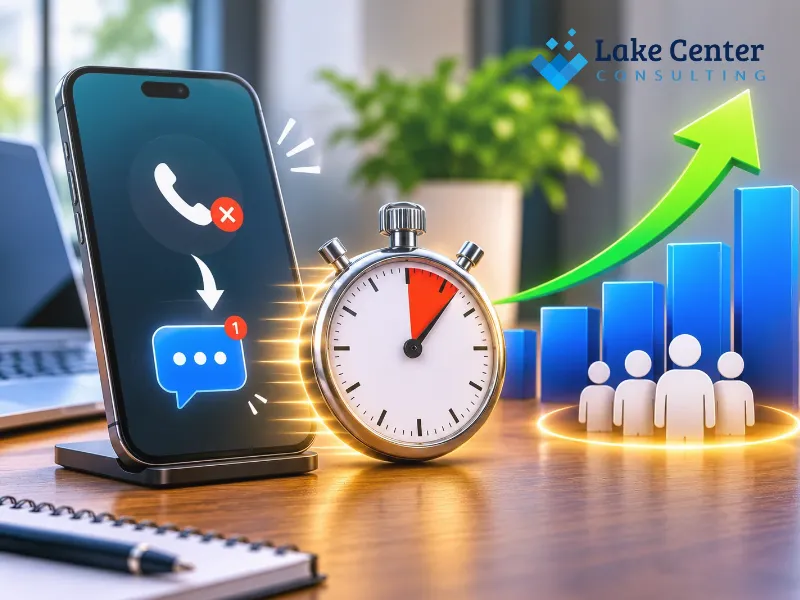
Missed call text-back is an automated feature that sends a text message to someone when a business cannot answer their call. Instead of leaving the caller without a response, the system acknowledges the missed call and invites them to continue the conversation through text.
What Happens After a Business Misses a Call?
A typical missed call text-back workflow follows these steps:
- A potential customer calls your business.
- Your phone system detects that nobody answered.
- An automated text message is triggered.
- The caller receives a message asking how the business can help.
- Their response is forwarded to your team or CRM.
- A team member follows up and schedules the next step.
What Should an Automatic Missed Call Text Say?
Your message should be short, friendly, and professional.
Example:
“Hi! Sorry we missed your call. Thanks for contacting [Business Name]. How can we help you today? Reply to this message and our team will get back to you shortly.”
Avoid promising an immediate human response unless your team can consistently deliver it.
What Are the Benefits of Missed Call Text-Back?
- Reconnects with potential customers.
- Reduces unanswered inquiry gaps.
- Makes communication easier for busy customers.
- Gives employees time to return calls.
- Creates opportunities to recover otherwise lost leads.
Which Tools Can Automate Missed Call Text-Back?
Businesses can use platforms such as GoHighLevel, Twilio, and compatible VoIP or CRM systems.
Choose a solution that supports missed-call triggers, two-way messaging, contact management, and reporting. Follow applicable SMS consent and privacy requirements.
How to Set Up Automatic Responses for Calls, Forms, and Messages
Businesses can automate their first response by connecting phone systems, website forms, messaging channels, and CRM software. The goal is to acknowledge every inquiry immediately, capture customer information, and make sure the right employee receives the follow-up task.
How to Automate Website Form Responses
Connect your website forms to a CRM or automation platform.
When someone submits an inquiry, the system should:
- Capture their name, email, phone number, and request.
- Create a new CRM contact.
- Send an automatic confirmation email or text.
- Notify the assigned employee.
- Create a follow-up reminder.
How to Automate Calls and SMS Messages
Use a business phone system that supports missed-call triggers and automatic messaging.
Configure different responses for business hours, after-hours calls, and unavailable employees. This keeps communication consistent without sending misleading availability messages.
How to Connect Everything Through CRM Automation
A CRM acts as a central location for managing incoming inquiries and customer conversations.
| Automation | What it does | Business benefit |
| Form automation | Captures new inquiries | Faster lead management |
| SMS automation | Sends instant acknowledgment | Better communication |
| Missed call text-back | Contacts unanswered callers | Recovers opportunities |
| CRM notifications | Alerts employees | Faster follow-up |
| Appointment automation | Sends booking confirmations | Easier scheduling |
How Long Does Automation Setup Take?
A basic workflow using an existing CRM and phone system may take a few hours to configure. More advanced integrations involving multiple communication channels, custom routing, and AI tools may require several days.
Professional AI Chatbot Automation Services can help businesses design, connect, and test these workflows.
How AI Receptionists and Chatbots Can Respond Faster Than Your Team
AI receptionists and chatbots can respond to incoming customer inquiries automatically, even when employees are busy or unavailable. They can answer common questions, collect contact details, qualify leads, and direct customers toward appointments or human assistance.
What Can an AI Receptionist Do for a Small Business?
An AI receptionist can handle initial phone conversations without requiring an employee to answer every call.
Depending on its configuration, it can:
- Answer frequently asked questions.
- Collect customer names and contact information.
- Understand basic service requirements.
- Route urgent inquiries.
- Schedule appointments.
- Transfer complex conversations to employees.
How Do AI Chatbots Improve Website Lead Conversion?
Website chatbots provide visitors with another way to ask questions and request assistance.
For example, a home improvement company can configure a chatbot to ask visitors about their project type, location, and preferred appointment time.
This information can then be sent to the CRM for follow-up.
AI Receptionist vs. Traditional Receptionist
| Feature | Traditional receptionist | AI receptionist |
| Availability | Scheduled shifts | 24/7, if configured |
| Initial response | Depends on availability | Automated |
| Repetitive questions | Handled manually | Automated |
| Lead collection | Manual entry | Automated capture |
| Complex situations | Human judgment | Human escalation needed |
When Should a Business Invest in AI Automation?
Consider AI automation when your business:
- Receives more inquiries than employees can handle.
- Misses calls outside working hours.
- Struggles with inconsistent follow-ups.
- I want to reduce repetitive administrative work.
- Needs better lead tracking across multiple channels.
An experienced AI Automation Agency Near Me can assess existing processes and recommend suitable integrations instead of introducing unnecessary software.
A Simple Speed-to-Lead Checklist for Small Businesses
A speed-to-lead system works best when every inquiry has a clear response process. Small businesses should establish response targets, automate repetitive tasks, assign lead ownership, and regularly review performance.
Set a Five-Minute Response Standard
- Define a five-minute response target.
- Assign responsibility for incoming inquiries.
- Enable instant lead notifications.
- Create a process for after-hours inquiries.
Automate Every Customer Entry Point
- Connect website forms to your CRM.
- Enable missed call text-back.
- Configure automatic email acknowledgments.
- Set up website chatbot responses.
- Connect social media inquiries where supported.
Improve Follow-Up and Lead Management
- Create automatic follow-up reminders.
- Assign leads to the correct employee.
- Track conversations and customer details.
- Escalate unanswered or urgent inquiries.
Measure Your Lead Response Performance
Track these metrics every month:
| KPI | What to measure |
| Average response time | Time between inquiry and first response |
| Five-minute response rate | Percentage contacted within five minutes |
| Missed call recovery | Missed callers who reconnect |
| Lead-to-appointment rate | Inquiries converted into bookings |
| Lead conversion rate | Leads becoming paying customers |
Work With an AI Automation Specialist to Improve Results
If your business struggles to manage incoming inquiries, professional automation support can help identify bottlenecks and build a system around your existing operations.
An experienced specialist can connect your phone system, CRM, website forms, and AI tools to create a consistent customer response process.
Conclusion
Responding within five minutes can give small businesses a meaningful advantage when competing for new customers. However, speed requires more than asking employees to answer every call immediately. Businesses need reliable systems that capture inquiries, send automatic acknowledgments, and organize follow-ups.
Combining missed call text-back, CRM workflows, AI receptionists, and AI Automation Services for Small Businesses helps reduce communication gaps and improve lead management.
The first step is simple: measure your current response time, identify where inquiries are being missed, and automate the most repetitive tasks.
Want to stop losing potential customers because of slow responses? Contact our team to explore practical AI automation solutions that help your business respond faster, manage leads more effectively, and create more opportunities to convert inquiries into customers.